Guide
Monthly Invoice Export: Send Shopify Invoices to Your Accountant
Updated 2026-09-30
Faktwise bundles invoices and credit notes issued in a selected month into a ZIP with available PDF/XML files and a CSV summary. It does not export every Shopify order: held orders, orders without a Faktwise invoice and sales invoiced elsewhere need separate reconciliation. This guide covers the download and its accounting boundaries.
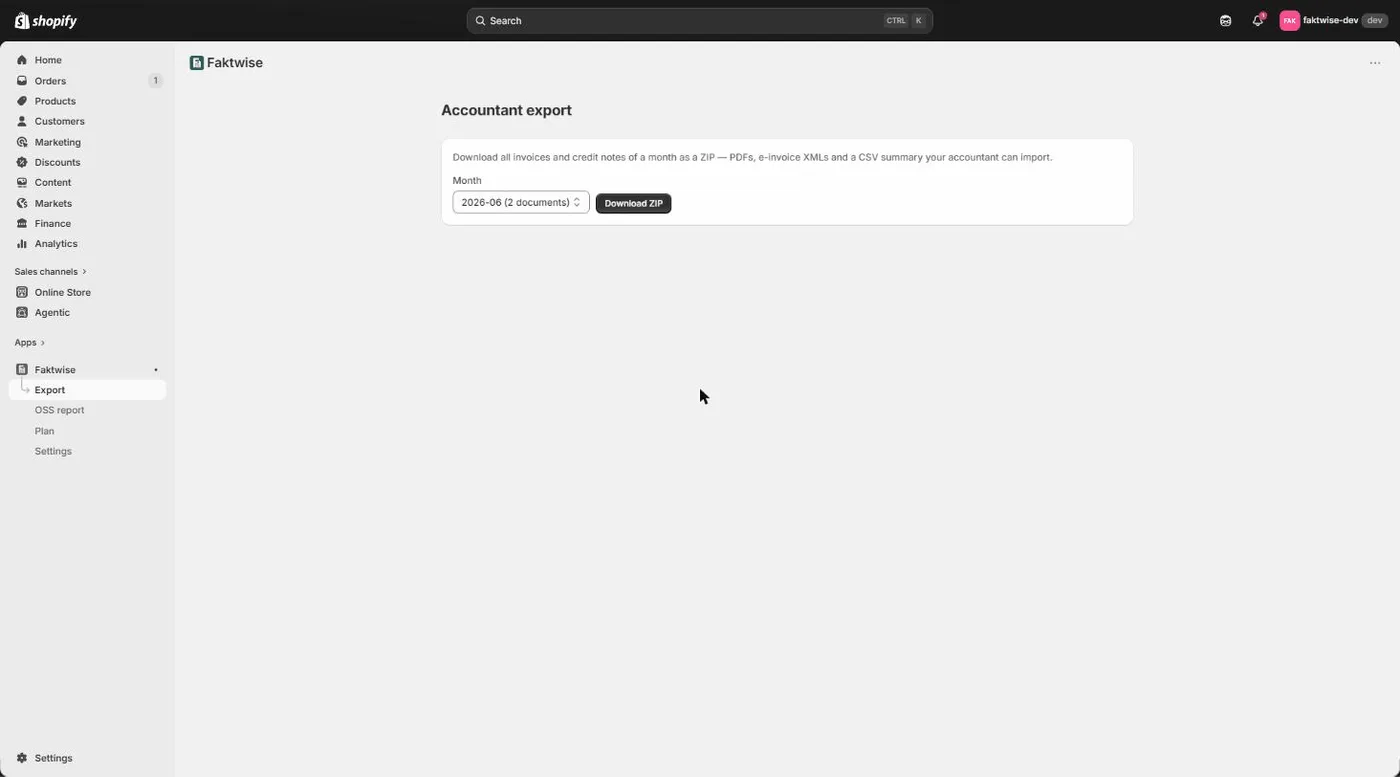
How to download the monthly export
The export is deliberately simple:
- Open the Export page in Faktwise.
- Pick the month you need.
- Download the ZIP and reconcile its files and CSV with your other sales records.
- Resolve missing documents, then pass the checked package to your accountant.
The ZIP is a handover of Faktwise documents, not a complete record of all your store’s accounting. Compare the CSV rows with the files and resolve missing documents before forwarding it.
What is inside the ZIP
Three things:
- Available PDFs. Readable invoices and credit notes issued in the selected month.
- Available XML files. ZUGFeRD invoice data, or XRechnung where the buyer’s Leitweg-ID and required seller details permit it.
- A CSV summary. One row for each Faktwise document in the period, even if an artifact is not currently available. Check the files against these rows.
The CSV summary in detail
The CSV uses semicolons and decimal commas. Depending on your spreadsheet locale, choose those separators when importing.
For each document the summary includes, among other columns:
- Number: the sequential invoice number, for example INV-2026-00042. Faktwise assigns numbers gap-free per year.
- Type: invoice or credit note.
- Date and the related Shopify order.
- Country of the buyer.
- Tax scheme: which VAT scenario was applied, for example German domestic VAT or an intra-EU B2B supply of goods.
- Net, VAT and gross amounts.
With that, your accountant can check the monthly totals, filter by country or tax scheme, and open exactly the PDFs that raise questions.
An honest boundary: this is not a DATEV posting file
The CSV is a summary for humans, not a bookkeeping import. It cannot be imported into DATEV as a posting batch (DATEV is the accounting platform most German tax firms run their bookkeeping on). Faktwise focuses on creating correct invoices and keeping them safely archived.
If your accountant wants a full Shopify-to-DATEV export, that is exactly what our separate app EasyBelege does. The two apps complement each other: Faktwise creates and archives the invoices, EasyBelege delivers the data for DATEV bookkeeping.
GoBD: the export deletes nothing
GoBD is the German set of rules for how tax-relevant records must be stored digitally. In plain terms: invoices have to be kept for the statutory retention period and must not be changed after the fact.
The monthly export is therefore just a copy for handover. Everything stays in the Faktwise archive: invoices are stored as PDF plus XML for ten years, beyond the statutory eight-year retention period and are set up so they are not altered after issue; corrections happen exclusively through credit notes. An audit trail records what happened and when, and personal data is stored encrypted (AES-256-GCM). All of this is designed to help you meet the GoBD requirements. For the bigger picture, see our guide on GoBD invoice archiving with Shopify.
One practical note: if you ever uninstall Faktwise, export your archive first, so you keep every document in your own hands for the rest of the retention period.
Three tips for the handover
- Set a fixed rhythm. Export the previous month and reconcile the CSV with the available files and invoices issued elsewhere.
- Check refunds. Supported refunds need an issued original invoice. Source-selected processing supports item and shipping refunds from saved invoice data; custom or incomplete amounts need attention. Legacy processing does not cover shipping-only or free-form refunds. Check the refund boundaries.
- Reconcile OSS separately. The quarterly OSS report covers documents issued in Faktwise under OSS, not all sales. It provides summary and BOP-format CSVs; real-portal import is not yet confirmed. Check missing sales, skipped rows and figures before filing. See the OSS report guide.
The monthly export takes the collecting off your plate; judging and booking the numbers stays with your accountant, because Faktwise is software, not tax advice. If you want to see the export for yourself, take a look at the demo or install Faktwise from the Shopify App Store. Your accountant will notice the difference in the very first month.